Multi-URL QR Code Generator
One QR code for multiple links. Share your website, social profiles, store, videos, PDFs, and more through a single mobile-friendly page. Create it for free and edit it anytime without reprinting.
Create a Multi-URL QR Code
Why choose QRCodeChimp as your go-to QR Code generator for unparalleled safety?
What Is a Multi-URL QR Code?
A Multi-URL QR Code is a single QR code that connects to multiple links. Instead of pointing to one URL, it opens a mobile-friendly landing page listing every link you add: your website, social profiles, online store, videos, PDFs, booking forms, and more. The person scanning simply taps the link they want. It is a dynamic QR code, so the printed code does not change when your links change. You can add, remove, or reorder links anytime, and the same QR code keeps working wherever you have already shared or printed it.

Why Use One QR Code for Multiple Links?

Printing a separate QR code for every destination clutters your packaging, posters, menus, displays, and campaigns. It also forces people to choose the right code before they scan. A Multi-URL QR Code removes that friction. You place one QR code on your material, and people reach a simple landing page with every important destination in one place. Because the landing page is editable, your printed materials do not go stale. You can add a new product page, update your menu, promote a seasonal offer, share a video, or replace an outdated link without reprinting the QR code. For businesses, this turns every offline touchpoint into a flexible digital entry point.
Where Multi-URL QR Codes Work Best
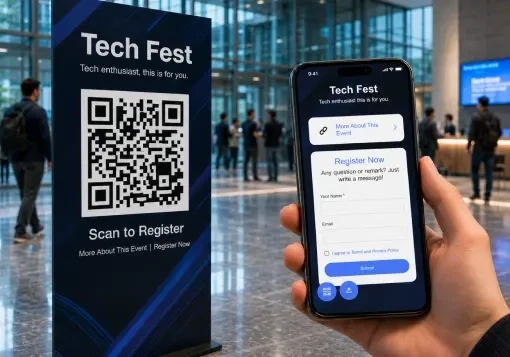
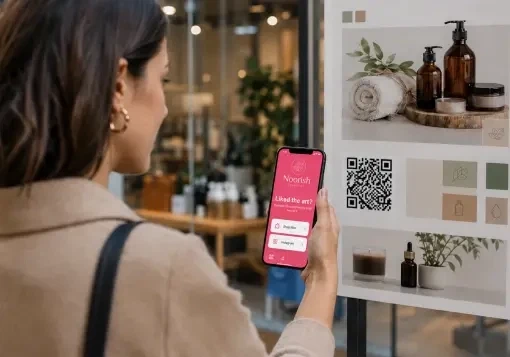
Use one QR code wherever your audience needs quick access to more than one destination.
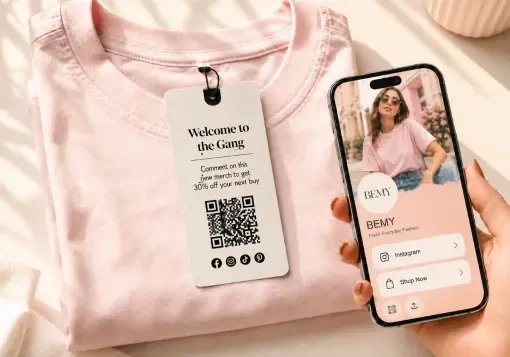
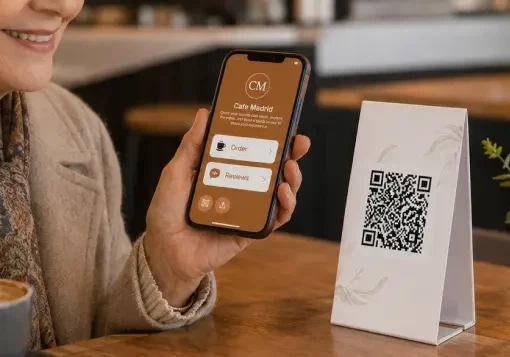
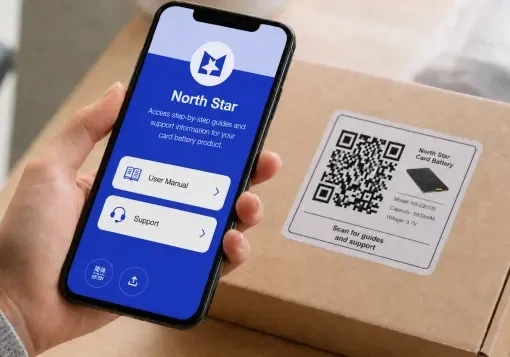
Benefits of Multi-URL QR Code
The solution with multiple links boasts multiple benefits for a range of users.


How Does a Multi-URL QR Code Work?
- You create your Multi-URL QR Code with QRCodeChimp and add your links.
- You print or share the QR code on packaging, posters, menus, screens, brochures, email signatures, or other materials.
- A person points their phone camera at the QR code.
- Your landing page opens with all the links you added.
- They tap the link they want to visit.
- You can update the links anytime and track scan performance from your dashboard.

Best Practices for Multi-URL QR Code

- Add only the links your audience needs. A short, focused page is easier to use than a crowded one.
- Give every link a clear label and icon so people know exactly where each link will take them.
- Keep your most important link near the top of the page.
- Use a clean, branded design that looks professional and loads easily on mobile devices.
- Place the QR code where scanning is easy, with enough size, contrast, lighting, and space around it.
- Test the QR code on multiple devices before printing or sharing it widely.
- Check analytics regularly to understand scan activity and improve your campaigns.
- Review the page often and remove outdated or underused links.
Built for Teams and Growing Businesses
QRCodeChimp is more than a QR code generator. It helps businesses create, manage, customize, and track QR codes for campaigns, locations, products, teams, and customer touchpoints.
Bulk Creation
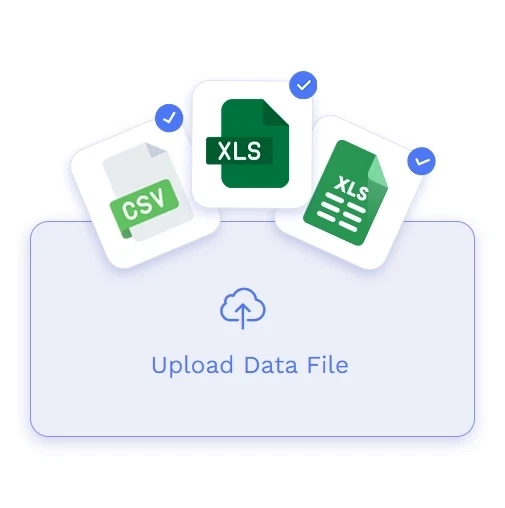
Create multiple Multi-URL QR Codes from a CSV, XLS, or XLSX file. This is useful for product lines, store locations, teams, events, and large campaigns.
Brand Customization
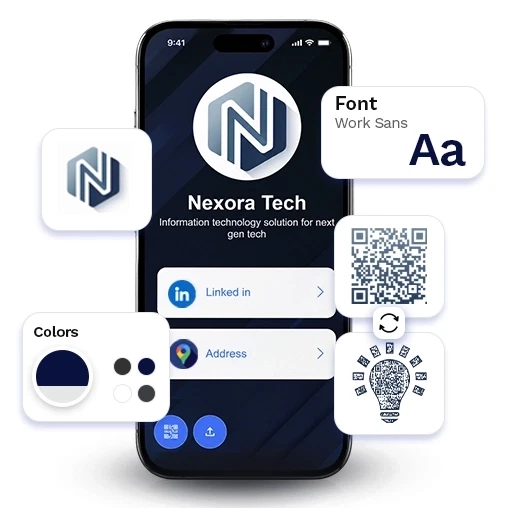
Customize QR codes and landing pages with your brand colors, logo, templates, and visual style so every scan reflects your business professionally.
Secure Platform
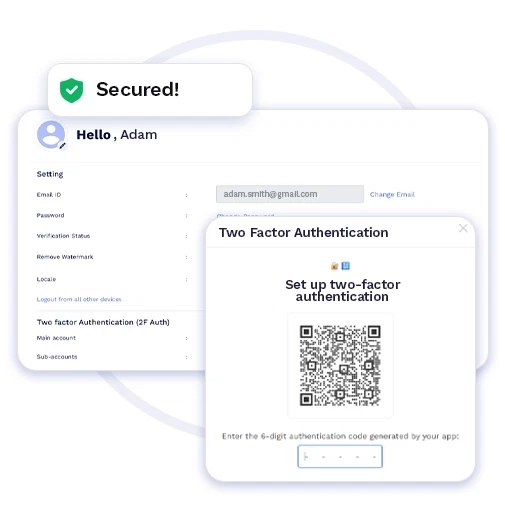
QRCodeChimp supports business-friendly security features such as multi-factor authentication, passcode protection, data protection practices, and privacy-focused controls.
Analytics
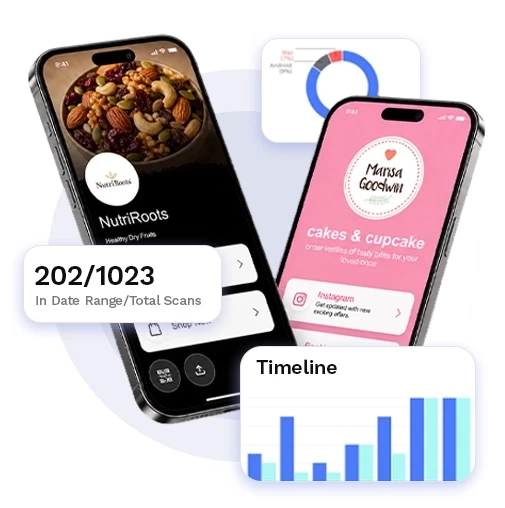
Track scan activity across your QR codes and use the insights to improve placements, campaigns, and customer engagement.
Team-Friendly Management
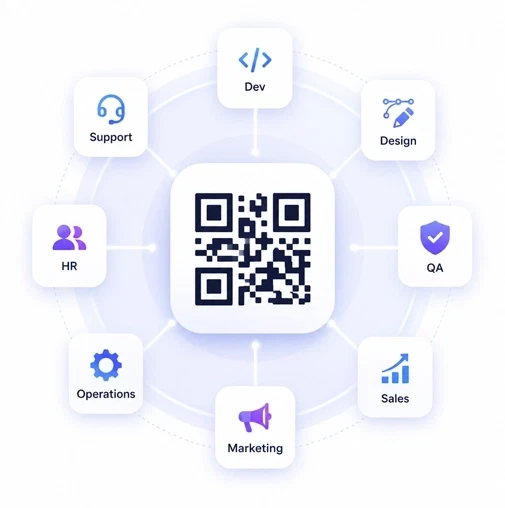
Organize QR codes, manage campaigns, and work across business use cases from one platform as your QR code needs grow.
Frequently Asked Questions
- How to create Multi-URL QR Code?
- Why should my business use a Multi-URL QR Code?
- How can I utilize the analytics provided by the Multi-URL QR Code?
- How do I choose the template for my Multi-URL QR Code?
- How do Multi-URL QR Codes enhance user engagement?
- How can I make my Multi-URL QR Code stand out visually?
- How do Multi-URL QR Codes benefit social media campaigns?
- How can I leverage Multi-URL QR Codes for virtual events?
- How often should I update my Multi-URL QR Code information?
- Is there a limit to the number of links I can include in a Multi-URL QR Code?
- Is there a recommended size for printing Multi-URL QR Codes on promotional materials?
- Are Multi-URL QR Codes compatible with all QR code scanners?
- Can I customize the design of my Multi-URL QR Code?
- Can I integrate Multi-URL QR Code analytics with my marketing tools?
- Can Multi-URL QR Codes be used for educational purposes?
- Can I use a Multi-URL QR Code for events and conferences?
- Can I use Multi-URL QR Codes for product packaging?
- Can I use Multi-URL QR Codes in email signatures?
Frequently Asked Questions
How to create Multi-URL QR Code?
Follow the steps below and create your Multi-URL QR.
Step 1: Customize Your ID URL (Optional)
Customize the Multi-URL QR Page URL to your preference (optional).
Note: Once saved, you cannot change it.

Step 2: Select a Template
Select a suitable template for your multi-URL QR code.

Step 3: Enter Your Details, Links with Icons
Enter your personal/business details and links with information in the components of the Links tab.
Note: You can choose to hide/delete/move the components to your preference.

Step 4: Add Contact Details (Optional)
Click on 'Contact Us' to add contact details like contact number, email address, buttons, etc (Optional).

Step 5: Add Additional Components (Optional)
Click on 'Add Component' to add additional sections such as buttons, images, videos, PDFs, etc (Optional).

Step 6: Customize the Page Design
Click on the 'Design/Settings' tab to customize the page design with background image/video, colors, font style, card style, and page loader.

Step 7: Save the Page Style
You can save the page styles and later use them to maintain uniformity in design. Click on ‘Saved Style’ to check or use the previously saved page styles.

Step 8: Customize Your QR Code Design
Click on the 'QR Code' tab to customize your QR Code design (e.g., adding shape, color, and sticker).
Click on the 'x' icon of the 'Customize QR Code' popup to save changes.
Note: Please keep the QR design neat and easy to scan, ensuring effortless scans.

Step 9: Save and Download
Click on the 'Save' button. Enter the QR Code name, edit the URL (optional), select folder (optional) and click on 'Save.'
Note: Make sure to scan your QR Code from different devices (iOS and Android) before printing for production.

Why should my business use a Multi-URL QR Code?
Multi-URL QR codes are essential for your businesses since they streamline sharing multiple links at once. They save time and effort and offer a convenient way for users to access and choose from various links with just one scan. This is useful in marketing scenarios where presenting various links is crucial.
How can I utilize the analytics provided by the Multi-URL QR Code?
The analytics provide insights into scan statistics, including time, location, devices, and browsers. You can use this information to refine and optimize your marketing strategies, allowing for a more targeted and effective approach.
How do I choose the template for my Multi-URL QR Code?
Consider your brand aesthetics and the context in which the QR Code will be scanned. Choose a template that complements your branding in the intended environment.
How do Multi-URL QR Codes enhance user engagement?
By providing a consolidated and visually appealing experience, Multi-URL QR Codes encourage users to explore multiple facets of your digital presence, increasing overall engagement.
How can I make my Multi-URL QR Code stand out visually?
Experiment with vibrant colors, eye-catching logos, and contrasting elements. Ensure a clean design to optimize scanning, and feel free to get creative to make your QR Code visually appealing.
How can I leverage Multi-URL QR Codes for virtual events?
Create a digital hub by linking to event agendas, speaker bios, sponsor websites, and virtual booths. Attendees can easily navigate various online elements of the virtual event with a single scan.
How often should I update my Multi-URL QR Code information?
Please update your QR regularly to ensure that the information remains accurate and up-to-date. This is important for links to time-sensitive content or promotions.
Is there a limit to the number of links I can include in a Multi-URL QR Code?
While there is no strict limit, keeping the number of links reasonable is recommended to avoid overwhelming users. Focus on essential information to ensure a positive user experience.
Is there a recommended size for printing Multi-URL QR Codes on promotional materials?
While there's no fixed size, aim for a size that maintains clarity and scannability. Test different sizes to find the right balance for your specific promotional materials.
Are Multi-URL QR Codes compatible with all QR code scanners?
Yes, Multi-URL QR Codes are compatible with most standard QR code scanners.
Can I customize the design of my Multi-URL QR Code?
Yes, you can select from various templates and customize the appearance of your Multi-URL QR Code to reflect your branding. This ensures a consistent and professional representation of your brand.
Can I integrate Multi-URL QR Code analytics with my marketing tools?
Yes, most services provide options to export analytics data, allowing seamless integration with popular marketing tools. This integration enhances your ability to analyze and strategize based on comprehensive insights.
Can Multi-URL QR Codes be used for educational purposes?
Certainly! Teachers can add links for lesson plans, additional resources, and interactive content. Students can scan the code to access various materials, enhancing the learning experience.
Can I use a Multi-URL QR Code for events and conferences?
Yes, Multi-URL QR Codes are perfect for events. Include links to the schedule, speaker/artist bios, sponsor websites, social media, and more. Attendees can access all the information they need with a single scan.
Can I use Multi-URL QR Codes for product packaging?
Yes, it's a fantastic idea! Include links to user manuals, instructional videos, customer reviews, social media, and warranty information. Enhance the post-purchase experience by providing valuable content with a simple scan.
Can I use Multi-URL QR Codes in email signatures?
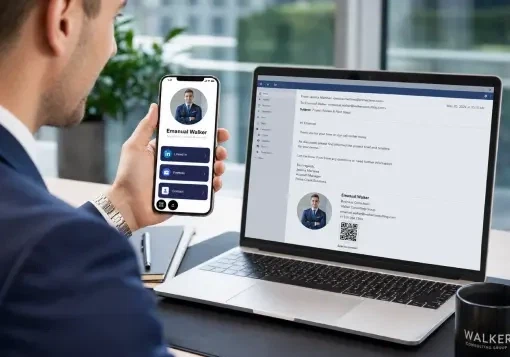
You can enhance your email signature with a Multi-URL QR Code that directs recipients to your portfolio, social media, or any other relevant online presence. It's a convenient way for contacts to explore your digital presence.